In the last ten years, messaging has come a long way. Over time, SMS service has been superseded by the introduction of newer, richer, and better user experience messaging services. Rich Communication Services (RCS) is one of the biggest innovations in mobile messaging. A popular feature among Android users is Custom RCS Group Chat Icons. Group talks are a significant section of contemporary interaction. Group chats are a great way for families to communicate, businesses to work together, and friends to organize events or keep up with each other. The more people use a chat group, the more critical it is to know how to choose the right chat. That’s where custom group icons really come into play.
Our mission at Novvanextech.com is to ensure users have accurate technology information that enables them to understand and utilize the latest communication tools. This guide will cover all you need to know about Custom RCS Group Chat Icons, their merits, how to set up, compatibility, privacy issues, and future trends.
Understanding RCS Messaging
To discuss Custom RCS Group Chat Icons, it’s first vital to know a bit about the technology. Rich Communications Services, or RCS, is regarded as the replacement of SMS and MMS messaging. RCS messages are sent over the internet, giving users more advanced messaging capabilities than regular text messages and enhancing the ability to communicate with others.
RCS is a bridge between traditional messaging and dedicated messaging applications. It provides a contemporary communication experience with integration with the native messaging app on the phone. Users enjoy read receipts, typing indicators, top-tier media sharing, better group management, and conversation controls, among other features. RCS has a great deal of advantages over SMS.
What Are Custom RCS Group Chat Icons?
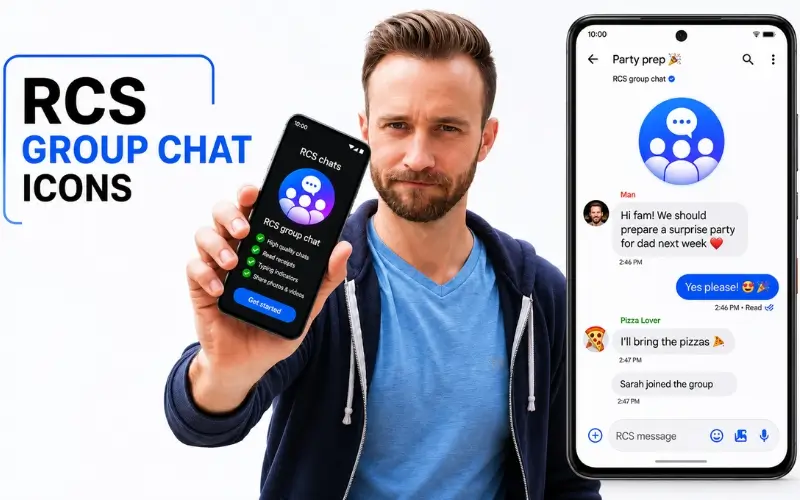
Custom RCS group chat icons are images that are dedicated to conversations in a specific group on any RCS-enabled messaging platform. For each profile, users can upload their own images to represent a particular group, rather than using generic placeholders or automatically generated group images. The images could be family photos, company logos, gaming avatars, sports team graphics, school club symbols, project branding, or any other images that may be relevant. The main idea of a custom group icon is to ease the identification of conversations and make the messaging experience more engaging.
The more people are engaged in multiple group conversations at one time, the more useful visual recognition is. A user-created image can help the user find the conversations more quickly, without having to open each group title. This may appear to be a minor addition, but it’s a pretty big usability and organization boost for messaging programs.
Why Group Chat Personalization Matters
Messaging applications are no longer basic communication platforms. They have emerged as focal points for collaboration, socialization, and sharing information. Typical smartphone users are likely to be in several group conversations simultaneously. These can be family, friends, and acquaintances, coworkers, classmates, sports teams, volunteer groups, and gaming communities.
If you don’t have any visual markers, it can be hard to tell the difference between conversations. This is particularly the case if the groups share names or participants. Personalization enables users to make the most of their conversations. Custom images make a first impression and prevent confusion when using multiple chats during the day.
Personalization also fosters a stronger sense of community and identity among group members, beyond the point of organization. A unique picture helps to support the objective and personality of the conversation.
How Custom RCS Group Chat Icons Work
Custom RCS Group Chat Icons are dependent on the messaging application, carrier support, operating system version, and device compatibility. In supported environments, users are likely to have access to group settings and upload an image from their gallery. Once you choose the ima,ge it will be linked to the group conversation and will display with the group name.
Typically includes the following steps: open the group conversation, view group information, edit or customize, and select an image from a set of photos. The new icon will be visible for participants who use an RCS-enabled messaging app after they have been saved.
Benefits of Custom RCS Group Chat Icons
There are several practical benefits for everyday messaging users of having personalized group icons.
- Faster chat identification
- Better organization
- Improved group branding
- Enhanced user experience
- Stronger group identity
While these features may appear small in isolation, they do contribute to a more user-friendly and enjoyable messaging experience.
Many users who have to navigate between chats for multiple conversations feel that visual cues are very useful for navigation.
Device Compatibility and Support
Compatibility is one of the most crucial factors to take into account when it comes to Custom RCS Group Chat Icons.
Different RCS features are not supported on all devices. Availability is dependent on a number of factors, such as carrier implementation, messaging app updates, OS versions, and regional support. The current dominance of the adoption of RCS is with Android devices. Google Messages is one of the main platforms for the implementation of modern RCS.
Samsung smartphones are also compatible with several RCS features, with some features being carrier-dependent. With global adoption, support for advanced customization features is improving across devices and platforms.
Google Messages and RCS Evolution
Google has been a big contributor to the worldwide rollout of RCS. Android users have access to modern messaging features, competing with many third-party messaging apps via Google Messages, and the number of users has grown to the millions.
Custom RCS Group Chat Icons are part of a larger trend of Google’s messaging ecosystem becoming more competitive and user-friendly. It continuously adds new functionality to enhance communication, security, media sharing, and group management. The improvements are continuous, and personalization options are expected to keep growing in future updates.
Security and Privacy Considerations
When users create a group conversation, privacy needs to be a key consideration. Group icons appear to the other participants of the conversation. As such, users are urged to carefully select the pictures they upload.
Do not use sensitive personal information, confidential business information, financial information, pictures of people showing too much personal information, etc. Rather, choose pictures that serve a purpose to the group, but are still private enough.
It is important for companies implementing RCS as an internal messaging tool to have clear policies on what images are acceptable for groups to avoid disseminating inappropriate content and information. Routine customization will help ensure that personalization does not pose privacy concerns.
Custom RCS Group Chat Icons for Businesses and Teams
Group messaging has become a vital component of business communication for collaboration and project coordination. Group chats are used by numerous organizations to keep everyone in the loop, synchronize schedules, discuss projects, and communicate with off-site team members.
Use of custom icons can enhance workplace communication by giving the visual identity of a particular team, project, or department. For instance, marketing teams can brand campaigns with their own branding, and customer support teams can use company-approved logos.
Consistency of visuals makes the organization easier to follow and makes it more likely that employees will be able to find the right discussion. Personalization capabilities will be even more crucial to business messaging strategies as these grow in number.
Educational Groups and Community Organizations
Custom RCS Group Chat Icons can be used in schools, universities, clubs, and nonprofit organizations. There are often several conversations that happen with different activities, committees, and events going on within a student organization. Members can instantly recognise conversations with custom icons.
Logos, event graphics, or group branding can help increase group identity and group communication efficiency for community groups. When users are members of many groups, these visual cues can prove very useful.
Common Mistakes When Choosing Group Icons
Customization is good, but some may be less effective. A frequent error is using too much detail in pictures. Complicated images may appear at a small size, in a small icon.
Another problem is selecting poor-quality photographs that are blurred or distorted. Users should also stay away from pictures that are very similar to other group pictures, which will not be helpful for visual identification.
It’s best to use simple, quality, familiar graphics. Changing a few seconds to choose the right image can make a big difference in the overall messaging experience.
How Device Problems Can Affect Messaging Features
The reliability of software and hardware is required for RCS functionality. Advanced messaging functions might not work properly on the device if there are software bugs, connectivity problems, or physical damage. Sometimes, even a Broken Phone Screen can make it hard to access settings, edit group information, or change conversation preferences.
Keeping devices in good condition ensures messaging applications work well and customization features are still available. It is important to keep software updated and devices well-maintained, which helps ensure a more stable user experience.
Future of RCS Personalization
With the ongoing evolution of messaging platforms, the future of Custom RCS Group Chat Icons seems promising. Additional features could include increased customization, animated icons, AI-generated graphics, more sophisticated group branding features, and better support for syncing between devices.
As more and more people adopt RCS, messaging apps should incorporate more features to enhance personalization and user engagement. These advancements could also help further blur the lines between native messaging apps and dedicated communication apps.
As messaging technology evolves, consumers will be able to get even more sophisticated tailoring of their interactions.
Comparing RCS Group Icons with Other Messaging Platforms
The RCS features are often likened to app services like WhatsApp, Telegram, and iMessage. These platforms have long been providing options for group customization, but RCS introduces the same capabilities into native messaging environments.
This integration takes away the need for multiple applications while retaining numerous modern communication capabilities. With support growing, RCS is steadily emerging as a competitive messaging alternative to the existing messaging platforms.
Custom images with the ability to personalize conversations are a significant advancement towards richer, more user-friendly communications.
Conclusion
Custom RCS Group Chat Icons are a great addition to today’s messaging. They can customize conversations with the user-friendly images, enhancing organization, recognition, and user satisfaction. RCS technology is becoming available on an increasing number of Android devices and supported carriers, providing more users with customization capabilities that enable smarter and more fun communications. Group icons can be customized for any family, business, school, or community group to help make their messages more organized and engaging.
We at Novvanextech.com believe that knowledge of new communication technologies gives users an advantage to make the best use of their device and know what to expect in the future of digital communication.
Read Also: Samsung Galaxy A56 Review
Frequently Asked Questions
What are Custom RCS Group Chat Icons?
These are customisable images that are given to RCS group discussions rather than the default images.
Can all smartphones use Custom RCS Group Chat Icons?
Availability is subject to device compatibility, messaging application support, carrier implementation, and software version.
How do I change a group icon in an RCS chat?
Click on the group conversation, then click on the group settings, the edit option, and upload an image that is compatible.
Do all participants see the same group icon?
In general, it is possible to see the customized icon by users with compatible RCS-enabled platforms.
Are custom group icons secure?
Generally safe, but do not upload personal or confidential information.
Why is my custom group icon not appearing?
It can cause problems due to compatibility restrictions, obsolete software, synchronization time delays, or unsupported carriers.
Will RCS customization improve in the future?
Yes. As the technology evolves, RCS will offer increased personalization and group management opportunities.