It may be surprising and frustrating to discover ants in a laptop. People often mistake the dead pixels and screen defects, only to find out that these are just the little insects crawling behind the screen. This is not a common problem, but it does occur more frequently than most laptop users think.
Warm electronic devices, food debris, and protected areas are all appealing to ants. They can crawl under the screen, around the inner parts of a laptop or even create temporary nests. An ant infestation may ruin the enjoyment of watching and cause damage to the hardware.
What Does It Mean When Ants Are Inside a Laptop Screen?
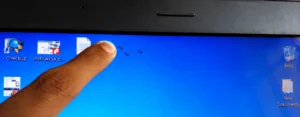
People refer to the presence of ants in a laptop screen when there are ants that can be seen below the surface of the laptop screen, but above the image-producing layers. The insects are seen as small, moving black dots that move around the display area.
A modern laptop has several layers in the display assembly. Sometimes, small insects are able to enter via small openings around the laptop screen bezel, display frame, hinges, ventilation areas, or other access points that lead through to the laptop’s internal structure.
Many users will notice:
- Small black bugs are crawling along the back of the exhibit
- Small dark spots that move around
- Finds dead ants inside the screen.Identifies dead ants on the screen.
- Several ants were seen in a period of time.
- In response to the keyboard or laptop, ants circulate through the vent.
Since the insects are physically inside the display assembly, wiping the surface of the screen will not remove the insects.
Why Are Ants Attracted to Laptops?
Knowing what baits or lures ants are attracted to will help you to solve the problem and prevent future infestations.
Heat Generated by Electronic Components
Laptops produce heat when in use. The warmth from components like the processor, graphics chip, battery, and display system attracts insects looking for shelter.
A warm electronic heater can create a stable environment for ants, particularly during cooler times of the year or when the seasons shift.
Food Crumbs and Residue
The most popular reason ants get into laptops is the presence of food debris.
Examples include:
- Cookie crumbs
- Bread particles
- Sugary drinks
- Coffee spills
- Juice residue
- Candy fragments
If food is found near the keyboard, even in small quantities, it can draw worker ants to look for the resource.
Moisture and Humidity
Insect activity may be more prevalent during the summer when humidity is high. An environment with moisture is a place that ants may be keen to enter.
A laptop that is in a humid room or area, such as a kitchen or poorly ventilated space, could be more appealing to pests.
Nearby Ant Colonies
The issue can begin outside the laptop at times.
When there is an ant colony:
- Inside walls
- Under flooring
- Near windows
- Around desks
- Outside the building
The worker ants may eventually find the laptop as they are looking for food and shelter.
How Do Ants Get Inside a Laptop Screen?
There’s a question many people have about how ants get into this small area.
Ants can get to laptops via:
Keyboard Openings
There are many small gaps in the kitchen, which allow access to the interior spaces.
Ventilation Openings
Cooling vents may provide breezy ventilation, but they may also become a way for small insects to enter.
Display Hinges
The hinge area may also include gaps where display cables run between the screen and the laptop body.
Screen Bezel Gaps
Micro holes can be found around the screen through which small ants can enter.
Existing Hardware Openings
Occasionally, there are extra entry points through ports and connection points.
Some ants are very small and can crawl through what would seem to the human eye like an “impenetrable” space.
Can Ants Damage a Laptop Screen?
Yes, ants can damage a laptop, but it depends on the extent of the damage.
Visual Disruption
Decreased visibility is the most obvious issue.
Ants can be moved behind the display to:
- Distract users
- Obstruct text
- Interfere with gaming
- Affect video viewing
- Create a challenge for graphic design.
Dead Ants Trapped Inside the Screen
If the ants have died naturally, parts of their bodies can still be left trapped in the display assembly.
Insects that are dead can become permanent black spots and may need to be professionally cleaned or the screen replaced.
Electrical Risks
Ants can sometimes interact with electronic circuits, but it is rarely seen.
Potential risks include:
- Short circuits
- Electrical interference
- Component malfunction
- System instability
Several ant species have been identified as being attracted to electrical wiring and equipment.
Long-Term Hardware Issues
Where a large population occurs, the insect debris may cause the following:
- Dust buildup
- Reduced airflow
- Contamination of internal components due to dust and dirt
These can impact laptop performance and reliability over the years.
How to Confirm There Are Ants Inside Your Laptop Screen
Always check first that ants are responsible for the problem before trying to make any repairs.
Look for Movement
Dead Pixels do not move.
Ants crawl on the display and shift their location over time.
Inspect Nearby Areas
Check:
- Keyboard edges
- USB ports
- Vent openings
- Desk surfaces
- Power cables
If you see ants in the area outside the screen, you’re likely to know where the problem is coming from.
Observe During Different Times of Day
The key to this activity is observing over the course of the day. Sometimes, there may be an increase in the activity of ants.
Insects should be suspected if the black dots are moving between observations.
Check for Additional Ant Trails
If the trail points to the laptop, it may mean that there are living bugs in the area.
What Should You Do Immediately After Finding Ants Inside a Laptop Screen?
Helping prevent the issue from escalating on the path to the first steps can be helpful.
Shut Down the Laptop
WARNING: shut down the lathe top properly.
This will help lower heat generation and lessen the appeal to ants.
Disconnect Power Sources
Remove:
- Charging cables
- USB devices
- External accessories
Move the Laptop
Away from food items and from known ants.
Clean the Surrounding Area
Clear crumbs, spills, and other possible food attractants from the work surface.
Avoid Panic Repairs
Never take the screen off immediately from the laptop or use chemicals within the laptop.
The ants can cause more damage than improper handling.
If you want to keep ants out of your laptop screen, here are some safety steps you should follow:
How to Remove Ants From a Laptop Screen Safely
The first method involves letting ants naturally repel you from the area.
Method 1: Encourage Ants to Leave Naturally
Occasionally, ants can be persuaded to come out on their own.
Steps include:
- Turn off the computer.
- Remove from areas where ants are active.
- Place it in a clean area.
- Look for several days.
Some ants may leave voluntarily if there is no food and/or warmth.
Method 2: Use Ant Bait Nearby
To destroy the colony that causes the infestation, ant bait can be used.
Important guidelines:
- Bait should be placed near the computer and not inside the computer.
- Do not place bait near electronic equipment.
- Carefully follow the manufacturer’s instructions.
It is used to control the colony, not individual ants.
Method 3: Professional Internal Cleaning
A repair technician is capable of safely:
- Open the laptop
- Remove insects
- Clean internal components
- Inspect for damage
- Verify proper operation
This is often the safest option for valuable devices.
Method 4: Screen Disassembly
Sometimes, however, ants are caught inside the display assembly, which means that the display must be disassembled.
Generally, this is only suited for an expert technician, as the screen of the laptop is fragile.
How to Remove Dead Ants Trapped Inside the Screen
Dead ants pose an interesting Problem
They will not move out of the display assembly by themselves, es as can living insects.
Possible solutions include:
Professional Display Cleaning
A technician can dismantle the displays and retrieve any lodged debris.
Partial Screen Repair
Sometimes, only certain display layers need to be serviced.
Full Screen Replacement
A possible alternative to cleaning is to replace the display if it is not possible to clean or if the damage is significant.
Common Mistakes to Avoid
Accidents by laptop owners often make the situation worse.
Avoid the following:
Spraying Insecticides Into the Laptop
Liquids and chemicals are damaging to sensitive electronics.
Pressing on the Screen
If pressure is applied, it can damage the LCD panel.
Using Excessive Compressed Air
Insects can be forced further into the device by strong airflow.
Ignoring the Problem
If the source of the infestation is not treated, it can expand and cause a small infestation to grow.
Opening the Device Without Experience
With modern laptops, cables, connectors, and display components are delicate and could get damaged while disassembling them.
When Should You Visit a Laptop Repair Technician?
In cases where:
- Ants are still present after a few days
- The dead bugs are behind the display.
- The screen is flickering or not working properly.
- The laptop has electrical issues.
- Internal Cleaning is necessary
- The infestation seems to be widespread.
A professional will be able to assess if it needs to be cleaned, repaired, or replaced.
How to Prevent Ants From Entering Your Laptop Again
The best way to deal with a problem is to prevent it.
Keep Food Away From Your Workspace
To avoid eating directly over the keyboard, if possible, do not do so.
Clean Your Laptop Regularly
Focus on:
- Keyboard surfaces
- Vent openings
- Touchpad areas
- External ports
Control Ant Problems in Your Home
Destruction of the surrounding colonies helps to minimize the risk of re-infestation.
Store the Laptop Properly
When not in use:
- Keep it closed
- Store it in a clean area
- Avoid damp environments
Reduce Humidity
Maintaining proper indoor humidity can discourage insect activity.
Inspect the Work Area Frequently
Regular inspections help identify pest problems before they affect electronic devices.
Ants Inside Laptop Screen vs Dead Pixels
Many users confuse ants with dead pixels.
| Feature | Ants Inside Screen | Dead Pixels |
| Movement | Yes | No |
| Changes Position | Yes | No |
| Shape | Irregular | Pixel-shaped |
| Visible Over Time | Moves | Remains fixed |
| Requires Pest Control | Yes | No |
Dark spot that moves – most likely an insect problem and not a display defect.
Final Thoughts
A problem may be as familiar as ants on the computer screen, even though such a thing may appear odd. In most instances, ants are drawn to heat, food debris, moisture, or other infestations. The sooner you take action, the better you will be able to reduce risks and prevent further issues.
If you see ants crawling around behind your computer, close this down, remove nearby food items, check the area around the computer,, er and treat any ants you find. When the gathered insects are trapped, the ants are dead, or if there is hardware damage, it may be best for the professional laptop cleaning or display repair.
Cleaning the workplace, controlling household pests,ests and routinely examining the device can significantly minimize the likelihood of ants re-entering the laptop.
You Also Like:
Custom RCS Group Chat Icons: Personalize Group Conversations Like a Pro
Samsung Galaxy A56 Review: Is It Still Worth Buying in 2026?
Surface Pro 4 Screen Scrambled? Causes, Fixes, and When to Repair It
Frequently Asked Questions
What caused ants to get in my laptop screen?
Ants may be lured to your property by heat, debris, moisture, or other ant colonies. They can get into the laptop and display assembly through small openings.
Are LCD screens infested with ants?
Yes. In some cases, the presence of ants can cause contamination, trapped debris, or hardware problems, but in most cases, they are a nuisance.
Can ants get rid of the laptop?
If the food and heat sources are removed, some ants may escape, others may stay inside the display.
Can a laptop host ants be used?
Usually, limited use can be made, but if allowed to continue,ue their use may result in further ants being attracted by their heat production.
What can I do if there are ants that are inside the screen?
If ants are found dead behind display layers, they will most likely need to be professionally cleaned, or your screen needs to be repaired.
Will ants cause damage to the exhibit that is permanent?
Yes. The only option may be a replacement if there are permanent dark spots, contamination, or damage to the display parts.
Do I need to replace the screen?
The only time the screen needs to be replaced is when it cannot be cleaned or if there is damage to the display.