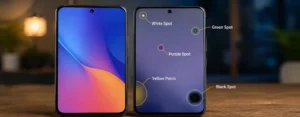
Noticing unusual spots on your mobile screen can be frustrating, particularly if you don’t know whether the anomalies are serious or a sign of another problem in your display. A small whitish area, a growing black area, colored purple marks or a yellowish tint may indicate various problems. There are some issues that can be bypassed and fixed, and there are other issues that can only be professionally repaired, or even a full screen replacement can be required.
The problem is that many people might initially think that it’s broken if there’s a spot somewhere. Actually, the cause will depend on the components utilized in the screen, the type of spot, and whether the issue is associated with software, physical damage, moisture, heat, or internal hardware failure.
This guide explains the different types of spots on mobile screens, the causes of the issue, how to determine the problem and what to do if you have this issue. Once it is done, you will be able to know if the simple solution is sufficient or if you need to go to a repair center.
What Do Spots on a Mobile Screen Mean?
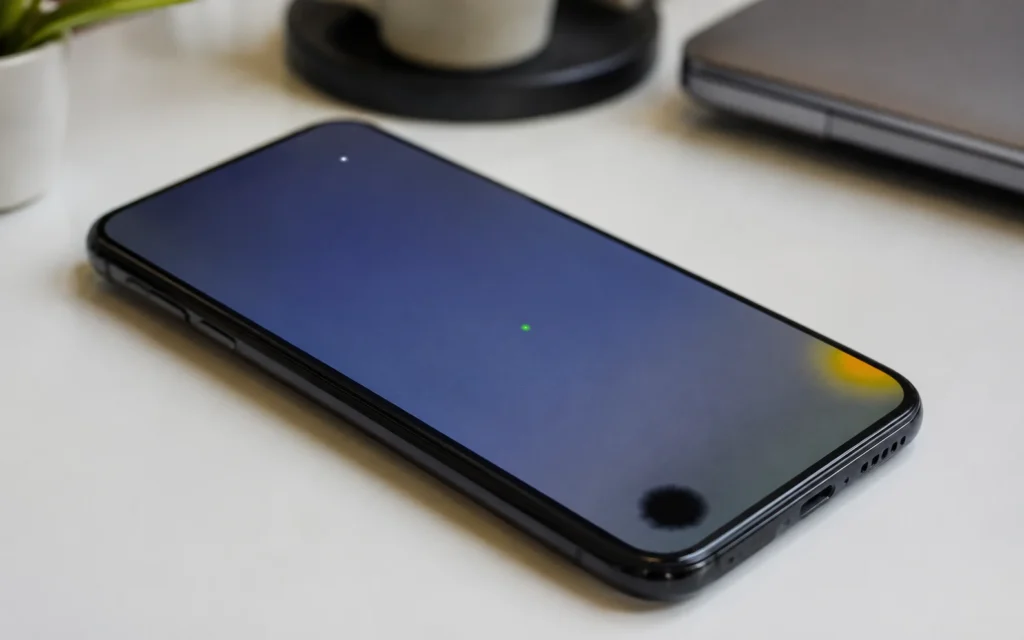
When a spot is present on a mobile screen, the screen is unable to display colours, brightness and images appropriately. It can be a small dot, a shiny area, a dark region or a colored mark and always shows up on the screen, no matter what appears there.
The significance of the spot is determined by the look of it. For instance, a bright pixel is vastly different from a black patch that slowly grows across the display. Similarly, a white spot, which is caused by pressure, is not the same as a green spot appearing after an OLED panel begins to fail.
Today’s smartphones are equipped with LCD or OLED/AMOLED screens and each display technology creates different screen defects. This is why it is important to find out the exact location in which the device is damaged before trying to fix it.
Different Types of Spots on Mobile Screens
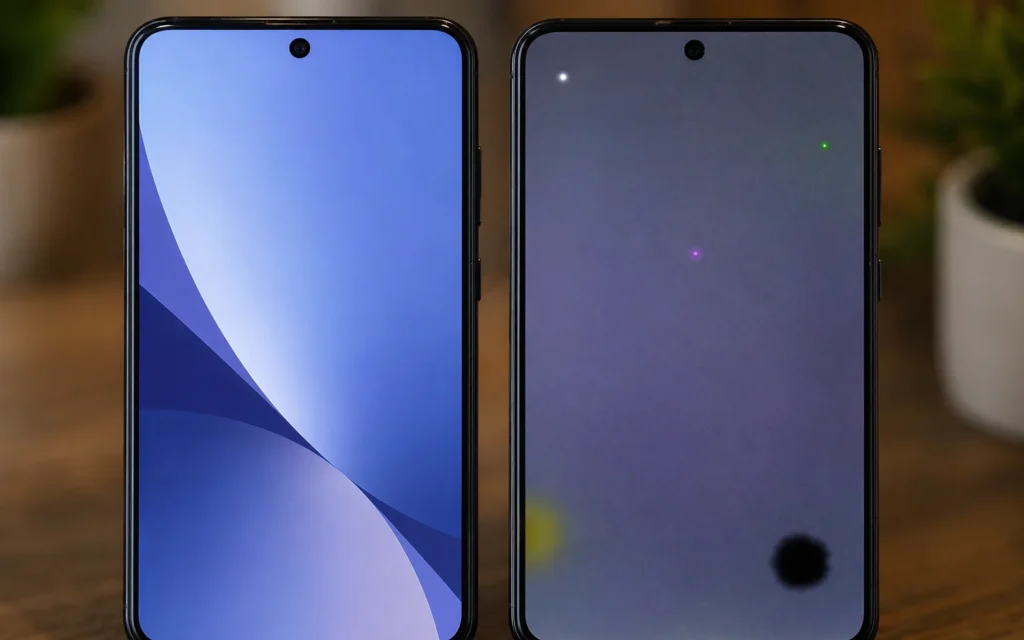
Not all screen spots indicate the same problem. Some are decorative and do not affect the usage of the display, and others are early warning to display health issues. Knowing the distinction will make it much simpler to determine if it is feasible to troubleshoot the problem by yourself or if professional help is required.
White Spots on Mobile Screen
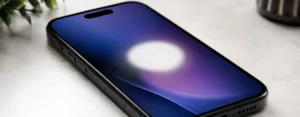
White spots are one of the most common display issues, especially for LCD phones. They are typically manifest as colourful circular or irregular patches that can be seen on whichever app or image is playing.
The spots typically appear when the display has been exposed to too much pressure, dropped or damaged. Sometimes, it is a manufacturing problem, or backlight imbalance can also cause the problem. The touchscreen typically remains functional otherwise, but will be more visible on lighter colours and will gradually grow in size as the damage progresses.
Black Spots on Mobile Screen
Usually, a black spot on a TV screen signifies that there is some damage within the screen panel, making it a more serious problem. These areas will not emit light, unlike white spots, and are entirely dark.
The most common causes of black spots are drops, broken LCD layers, impact damage, or leaking LCD’s. If the area begins small but then grows over the next few days, then it is going bad and the display will need replacing. Troubleshooting software will not be able to help with this sort of damage.
Dead Pixels
A dead pixel is a minute dot that is not capable of functioning at all. It typically shows up as black when the individual pixel no longer illuminates or displays colours.
Dead pixels are always much smaller, and typically do not spread as the number of pixels does not increase. While one or two dead pixels may not cause any issue for the user, small groups of pixels can be distracting when viewing videos and text.
Stuck Pixels
A stuck pixel is also not a dead pixel, but rather one that still works, but has become stuck in a particular colour, such as red, green, blue or white.
The pixel in question will still technically be live, so it might make a comeback! If the problem is not caused by hardware damage, then the device may be able to be restarted, updated, or the pixel fixing utility that the manufacturer provides could be used.
Bright Spots
Bright spots are unusual spots that are brighter than the rest of the display. They are most often seen on the backlights of LCD monitors that are non-uniform.
The spots can be caused by pressure, separation of internal layers, manufacturing defects or backlight damage. They’re most prominent with dark backgrounds on your phone or black screens.
Green or Purple Spots
While not unique to LCD screens, Green and Purple Spots do occur more often with OLED and AMOLED displays. They are frequently found when a phone is dropped, overheated, or the display has suffered internal damage.
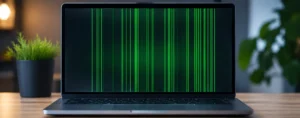
Initially, the area could be small, and then gradually it can start to increase in size to larger patches or even to vertical lines. If the sized area continues to enlarge, the display panel is likely failing and not a temporary software problem.
Pink Spots
Pink spots can happen due to display ageing, faults in the hardware, excessive heat or loose internal connections and are fairly rare.
After rebooting the phone, if the discoloration goes away, it might be related to software and display calibration. But a permanent pink spot (one that is always there on every screen) should almost always indicate hardware damage.
Yellow Spots
The spots typically appear around the corner or towards the side of a smartphone screen. They are often caused by exposure to heat for too long a time, deterioration of the adhesive under the screen, moisture and/or pressure.
The other reason can be if there is an enlarged battery pressing on the display from inside the phone. If the yellow area suddenly comes into existence or increases in size, discontinue use of the device until the battery is looked at because battery swelling can be dangerous.
Pressure Marks
Pressure marks occur when too much pressure is exerted on the display panel. This can occur when the phone is carried tightly in a pocket, is accidentally placed on the edge of the pocket or when it is squeezed under heavy objects.
Unlike a software-related screen problem, pressure marks will not fade when the phone restarts. Typically stay in the same spot and can get worse with time.
Burn-In (Ghost Images)
Burn-in is a display problem, primarily for OLED and AMOLED phones. It does not show up as a single spot, but rather a faint outline of the content that was previously on display, such as navigation buttons, the keyboard, or the icons at the status bar.
The consequence of this is that some of the pixels can be exposed to images for longer periods of time than others, causing fading. There is no cure for permanent burn-in, but lowering the screen brightness and/or using dark mode can slow the burn-in progression.
Which Mobile Screen Spots Are Most Serious?
If your phone shows signs of damage in some places, it doesn’t mean that it’s the end of the world at all, but it does mean that you should pay attention to what’s happening there. While a single dead or stuck pixel is typically an annoyance, the appearance of black spots, green or purple colour, or areas of yellow patchiness resulting from battery swelling suggests there may be a problem with the hardware and should not be dismissed.
Wherever you see something that enlarges with time, changes colour, interferes with touch screen function, or occurs after a major drop, it is a recipe for trouble. If parents keep using the phone without figuring out what is causing the problem, more damage to the display may occur, and in rare instances, further hardware issues as well.
The most common causes of mobile screen spots are discussed in the next section, and ways of figuring out what exactly is causing the problem on your phone are explained.
Common Causes of Spots on Mobile Screen
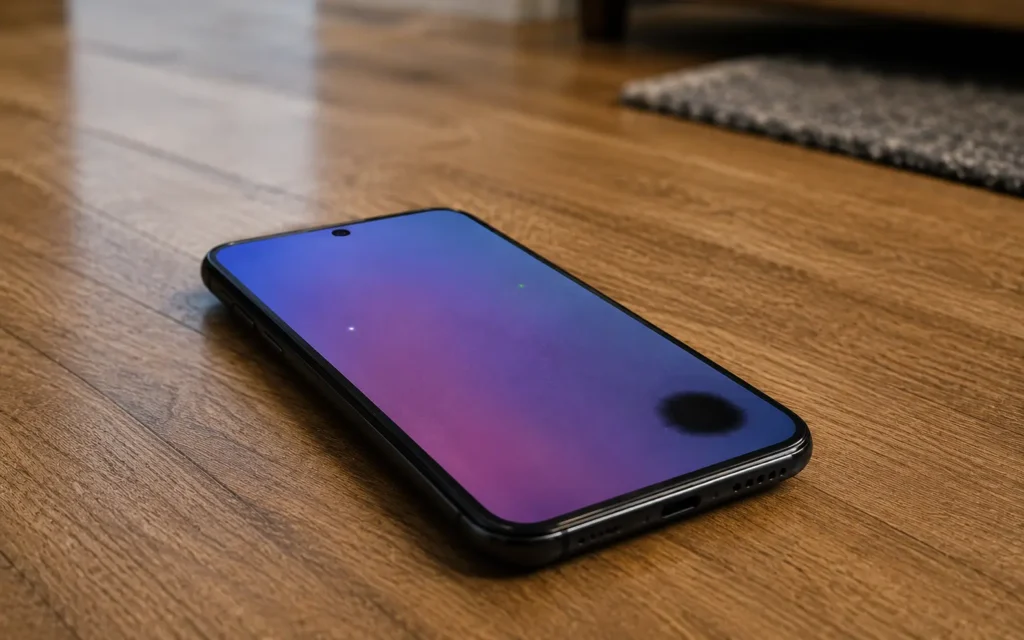
It doesn’t just happen that spots appear on the screen. Most often, they are caused by physical damage, display wear, or internal hardware issues. But the symptoms can be truly confused with display defects from temporary software glitches.
It is crucial to know the cause as it will enable you to determine whether it is something that can be fixed easily or whether the screen will require professional repair.
Physical Impact or Accidental Drops
There is a high probability that a mobile screen will develop spots because of accidental damage. If the glass on the front is not cracked, the display panel below may be impacted.
You may see black spots, white patches, coloured lines and/or discoloured areas which enlarge over time after a drop. The reason is that the inner LCD or OLED layers are much less durable than the outer glass.
If the spot is seen soon after the fall, then it is most likely to be caused by damage to the phone.
Excessive Pressure on the Display
Not all screen spots are necessarily the result of falling. The display’s internal layers are easily damaged when it is carried in a tight pocket, heavy objects are placed on top of it, or it accidentally sits on the user’s lap.
Pressure damage is indicated by the following symptoms:
- White spots which do not move
- Nancy has a green blanket and black arms. Nancy’s arms are black and she has a green blanket.
- Uneven screen discoloration
- Localized pressure marks
These marks will not go away when the device is restarted, unlike software problems.
Dead or Stuck Pixels
Sometimes, some pixels will no longer function properly. Dead pixels are permanently black, and stuck pixels are permanently on a single colour (red, green, blue or White).
While a point of bad pixel is not always critical, multiple bad pixels can impair the readability of photos, videos and text. Sometimes stuck pixels can be fixed with software, but dead ones are more likely to be permanent.
OLED or AMOLED Panel Damage
Normally, bright colours and deep blacks are provided by OLED and AMOLED displays; however, they are also more sensitive to damage than LCD panels.
Green, purple or pink spots appearing on the display of your phone, as a result of dropping or excessive heat exposure, could indicate that your OLED panel is not functioning. These areas tend to develop small first and then grow into a larger area of the display.
Damaged panels will not be repaired using software updates or a factory reset.
Moisture or Water Damage
Waterproof phones are not waterproof against liquid damage. If moisture gets into the device, it will disrupt the display layers and connectors with potential for abnormal spots or colouration.
You may notice:
- Yellow/white spots
- Flickering areas
- Randomly coloured spots
- Screen brightness inconsistencies
If your phone suffered water damage in recent years, don’t charge it until completely dry and get it checked if it continues to have water damage.
Battery Swelling
One of the worst reasons for display spots is due to an enlarged battery. Bulges or pressure spots (holes) form as the battery expands against the phone’s inside.
A swollen battery can also raise the screen off the frame or bulge the back cover, in addition to affecting the display.
- If you think you have a swollen battery:
- Discontinue using the phone right away.
- Don’t charge the device.
- Don’t press on the swollen area.
Seek immediate, expert repair assistance.
Not solving the problem can affect other unit parts and can cause safety concerns.
Overheating
It’s not just excessive heat that will kill a screen, however. Composite screens may last longer if the temperature is dangerous only sometimes, rather than constantly.
High temperatures, such as those resulting from gaming, direct sunlight or charging issues, can cause:
- Yellow discoloration
- OLED burn-in
- Temporary display artifacts
- Reduced screen brightness
Sometimes, natural cooling can cure temporary display anomalies. But, for permanent heat damage, it will likely need to be repaired with hardware.
Manufacturing Defects
In a small percentage of phones, spots are an issue caused by manufacturing problems and cannot be fixed. Usually show up between a few weeks or months into the normal use of the instrument without being caused by accidental damage.
If you have the manufacturer’s warranty and the damage is confined to one part of the display, enquire if the manufacturer will replace the screen free of charge.
How to Identify the Type of Spot on Your Phone
Their occurrence typically indicates what is going on inside the exhibit. Take a few minutes to watch the spot and see how it reacts to the repair.
Consider the following questions:
- Was the spot created when the phone was dropped?
- Have its dimensions increased with time?
- Does it display on all screens?
- Does it have a black, white, yellow, green, or other colour?
- Is the touch screen still functioning normally?
Before you can invest your funds in any repairs, your answers may help you to narrow down the possibility of what is causing the leak.
Quick Diagnosis Guide
| What You See | Most Likely Cause | Can It Be Fixed? |
|---|---|---|
| Small black dot | Dead pixel | Usually no |
| Colored pixel | Stuck pixel | Sometimes |
| White patch | Pressure or LCD issue | Sometimes |
| Large black area | Internal display damage | Usually requires replacement |
| Green or purple spot | OLED panel failure | Screen replacement |
| Yellow patch | Heat, adhesive, or battery swelling | Depends on the cause |
| Ghost image | OLED burn-in | Usually permanent |
How to Fix Spots on a Mobile Screen
It will depend entirely on what causes the spot as to the right solution. Software issues can sometimes be fixed at home, but all display issues can only be repaired by a professional.
Don’t jump to the conclusion that it’s broken, first try these troubleshooting steps in order!
1. Restart Your Phone
Restarting the computer can clear temporary display problems, such as those that might result from software problems or memory problems.
If it doesn’t show up again after a reboot, it is probably software and not hardware damage.
2. Remove the Screen Protector
Sometimes, the brightness, bubbles or discoloration will appear on the screen as a result of a damaged or bad quality screen protector.
Carefully remove it and check the display under proper lighting conditions before proceeding to more serious troubleshooting.
3. Update Your Phone’s Software
Software updates usually don’t address issues in hardware functionality, but they can address display issues brought about by previous software versions.
Before deciding that your phone’s screen is broken, see if there are any software updates that need to be installed.
4. Test the Display on Solid Colours
Open an image in black, white, red, green, and Blue and examine the screen carefully.
This is an easy test to help identify:
- Dead pixels
- Stuck pixels
- Bright spots
- Screen discoloration
- Pressure marks
It’s also useful when determining if a location is growing over time.
5. Try a Pixel Repair Tool (Only for Stuck Pixels)
For one coloured pixel problems, an established pixel repair program can revive the actual pixel by fast cycling a variety of other colours across the screen.
Please note: These tools will only work on stuck pixels. They will not replace cracked screens, black spots, the OLED panel dying, or damage resulting from pressure.
6. Visit a Professional Repair Center
If the spot persists, if the spot interferes with touch performance, or if the spot is found post-drop, it is best to have it professionally inspected.
If the petals are in bad shape, you will need help from a professional.
- Expanding black spots
- OLED patches are green or purple.
- Pressure damage
- Water-related display issues
- Signs of battery swelling
If the damage is left unaddressed will eventually escalate and we may need to replace the screen at a later date for a greater cost.
Can Spots on a Mobile Screen Spread Over Time?
Yes, if the damage under the screen continues to get worse, some screen spots will grow. But this seems to depend on what the issue may be.
For instance, if one pixel dies, it typically remains the same pixel size, and a black spot resulting from some in-display defect often gets larger as time passes. Likewise, the pressure marks and damage to OLED panels may become more prominent with frequent use.
A typical experience is likely to be:
- Dead pixels: Normally appear as the same size and shape.
- Stuck pixels: May get better or may remain the same.
- White spots: If the display layers remain separated, these can grow.
- Black spots: Often spread because of internal screen damage.
- Green or purple spots: Commonly expand on damaged OLED displays.
- Yellow patches: May become larger if caused by heat or a swollen battery.
Any such spot that can grow in size over a couple of days is a good sign that the display is in need of professional attention.
When Should You Replace the Screen?
Not all display problems can be fixed with a new screen, but at a certain point, the best and most economical way to resolve a problem is to replace the screen.
If you want to seriously consider the change of the display:
- The black spot continues to spread.
- There are more green or purple patches on the screen.
- Affected parts of the touchscreen become unresponsive.
- The screen flickers or dims colours randomly.
- If there are cracks, they have internal spots or lines.
- It is determined by a repair technician that there is damage to the panels.
In contrast, in the case of a single stuck pixel or a slight software-related screen glitch, screen replacement might not be a requirement.
Tip: If your phone is still under warranty and the damage wasn’t caused by accidental drops or liquid exposure, check whether the manufacturer offers a free display replacement.
How Much Does It Cost to Fix Mobile Screen Spots?
Repair fees depend on the make and model of the phone, the type of screen technology and the amount of damage.
The replacement of an OLED / AMOLED display is more expensive than replacing an LCD panel, in most cases. Moreover, premium flagship phones are also more costly to repair due to their advanced fingerprint and touch technologies that are embedded in the display.
Some general comparison:
| Repair Type | Estimated Cost |
|---|---|
| Minor inspection or diagnosis | Low |
| LCD screen replacement | Moderate |
| OLED/AMOLED replacement | High |
| Flagship phone display replacement | Very High |
Don’t take the cheapest place to repair your vehicle; find a competent repairer who supplies quality replacement parts. Unprofessional display installation can lead to new problems such as pressure marks, touch problems or uneven illumination.
How to Prevent Spots on Your Mobile Screen
Although not all display issues can be prevented, there are several simple things to keep in mind to minimize the possibility of damaging your display.
Please use a protective case to reduce impact damage if dropped. While it may not provide total protection, it can help to lessen the impact on the display.
Don’t let the phone lie on top of anything heavy or put it in areas where too much pressure is being applied, which may cause the phone to break. Internal display layers may become affected, even if they do not have any visible cracks.
It is also recommended to avoid overheating phones. The OLED display may reduce in life span when left in hot vehicles, playing for long periods, or being exposed to direct sunlight for a long time.
For long-term protection of the screen:
- Avoid sitting on your phone.
- Apply a good screen protector.
- Avoid exposing the device to water as much as possible.
- Equip with quality add-ons.
- Do not overlook batteries that are swollen.
- Low brightness setting on OLED phones for prolonged usage.
The following are minor steps that can help the life of your display and minimize the opportunities for screen spots to form.
Final Thoughts
Seeing spots on a mobile screen doesn’t always mean your phone is beyond repair. Certain problems, such as stuck pixels or temporary software problems, may be easily solved through troubleshooting. Other defects like black spots, pressure damage, or OLED panel failure typically need to be professionally fixed or replaced with a new screen.
Detecting the kind of spot as soon as possible is the most crucial step. You might miss symptoms of a swelling battery, a battery’s expanding green tint, or a growing black patch and end up with more extensive damage and more costly repair.
If no basic troubleshooting has occurred and the spot continues to grow or if it has changed, it is best to get your phone checked out by your cell phone repair company. When acting early, it’s possible to stave off a minor display problem from becoming a much bigger repair.
Also Read: How to Fix a Chipped Phone Screen: Repair Options, Costs, and Prevention
Broken Phone Screen: Complete Guide to Repair, Costs, and Prevention
White Patch on iPhone Screen | Causes, Fixes & When to Replace the Display (2026)
Frequently Asked Questions
Why are there white spots on my phone screen?
The most common causes of white spots are pressure damage, backlight problems on LCD screens and manufacturing flaws. The spot may have been formed by a drop and may also be due to damage in the display.
Can black spots on a mobile screen be fixed?
No, generally, black spots are caused by physical damage to the display panel and will generally need to be replaced with a new display screen.
Do dead pixels spread over time?
Typically, one dead pixel will maintain its size. But when several pixels start to fail, or a larger black spot appears, it could be more serious damage to the display.
Are green or purple spots a software issue?
Usually not. Green and purple spots are often linked to damaged OLED or AMOLED panels and are regarded as hardware-related issues.
Can a screen protector cause spots?
Sometimes, the screen protector is damaged or installed incorrectly, which might make the screen appear with bright spots or bubbles. Its removal will prove whether the display is affected or not.
Will restarting my phone remove screen spots?
Restarting is a troubleshooting step that can resolve temporary display issues or software artifacts, but it will not correct physical hardware damage to the display.
Can water cause spots on a phone screen?
Yes. The moisture can affect display layers and internal connectors, causing discoloured areas, bright patches or flickering areas of the display.
Is a yellow spot on a phone screen dangerous?
It can be. If the yellow patch is due to the battery swelling, discontinue use of the phone and get it inspected right away, because battery swelling can pose a danger.
How can I tell if my phone needs a new screen?
If the spot is still increasing, it is affecting touch response,e or if it is accompanied by cracks, flickering or colored lines, it is likely time to replace the screen.
Can I prevent spots from appearing on my mobile screen?
While some risks are unavoidable, a protective case, avoiding pressure, overheating and moisture all help to minimize the risk of display damage.