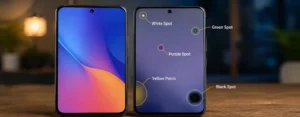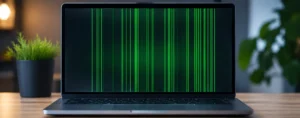
It is frustrating to have an essential image go missing, which can cause problems, particularly for those with important memories, work projects,s or valuable digital belongings. If the picture is corrupted, the image will not open, may only show part of the image, or it may show an error pop-up message box saying the file format is not supported. Often, these problems arise as a result of any interruption in the file transfer, storage, or hardware failure, malware attacks, software crashes, or unforeseen power outages.
One app you might find when trying to locate a solution is a free hexadecimal editor known as HxD. Because of the flexibility presented by HxD, being capable of controlling the internal structure of the files, numerous tutorials recommend that HxD be used to repair damaged JPEG/PNG images or any other type of corrupted file. Though, is it actually an effective solution?
Yes, but not all of the time. HxD can be useful to fix image files with minor metadata problems, file structure damage, or a misaligned header, or a missing/swapped file signature. It does not, however,r be able to restore missing data or photos that are very damaged because of the failure of the equipment or because of being overwritten in storage.
Here are a few things you will learn in this guide:
- What HxD is and how it works.
- Whether HxD is able to fix corrupted images.
- The main common causes of image corruption in the world.
- The following criteria can be used to determine whether a photo is corrupted:
- Situations where HxD can and cannot help
- The role of image file headers in photo recovery.The importance of the image file header in photo recovery.
At the end of this guide, you will be able to declare if HxD is the correct software to utilize in your case,, or when it is better to use professional photo repair software.
Can You Use HxD to Repair Corrupt Photos? (Quick Answer)
Yes, HxD can fix photos, but only if the problem is that the files are corrupted, not the corrupted images. For instance, damaged JPEG headers, incorrect file signatures, missing end-of-file markers, or some of the common metadata problems. But it can’t do the work of recovery of deleted pixels, Unreadable files, or severely damaged photos. If they are highly corrupt, they will be treated better by a dedicated photo repair program.
Table of Contents
- What Is HxD?
- What Makes Photos Corrupt?
- You can tell when a picture has been corrupted if it displays any of these signs:
- How Will Image Corruption Occur?
- Will HxD repair corrupt photos?
- What are File Headers, nd why are they important?
- List of situations where HxD can successfully repair broken photos.
What Is HxD?
HxD is a free hex editor for Windows that allows one to inspect, analyse,and edit the raw binary content of files. Rather than a picture or readable text, it presents the hex values that represent each of ale files on your hard drive.
HxD gives access to the inside of a file as well, since all digital files are made up of binary data. Therefore, it can be a great tool for developers, digital forensics specialists, data recovery people, and advanced users interested in examining or modifying files on a byte level.
HxD is NOT like normal image editing software;it does not edit an image visually. Rather, it lets you change the data that determines what software can do with the image, how it will display it, etc.
What Is a Hex Editor?
A hexadecimal (hex) editor is a program that displays files as raw binary data represented in hexadecimal format. Most hex editors organize information into three sections.
| Section | Description |
| Offset | Displays the position of each byte within the file |
| Hexadecimal Values | Shows the raw binary data in hexadecimal format |
| ASCII View | Displays readable characters when available |
Each hexadecimal value represents one byte of information. Editing these values changes how software interprets the file.
For image files, the first few bytes are particularly important because they identify the file type and tell image viewers how the file should be decoded.
Key Features of HxD for Image Repair
Although HxD is primarily a hexadecimal editor, several of its features can help troubleshoot minor image corruption.
Some of its most useful capabilities include:
- Viewing and editing binary file contents
- Comparing two files byte by byte
- Searching for specific hexadecimal patterns
- Replacing damaged file headers
- Inspecting image metadata
- Verifying file signatures
- Exporting binary data for further analysis
- Editing storage sectors (advanced users only)
These features make HxD useful for manual repairs when the corruption affects the file structure rather than the image data.

What Causes Photos to Become Corrupted?
Image corruption occurs when part of a photo file becomes damaged, incomplete, or unreadable. The type and severity of the corruption determine whether the file can be repaired.
Below are some of the most common causes.
| Cause | What Happens | Can HxD Help? |
| Interrupted file transfer | The file is copied incompletely | Sometimes |
| Power outage while saving | File writing stops unexpectedly | Sometimes |
| Corrupted SD card | File system errors damage the image | Limited |
| Virus or malware | Binary data is modified | Sometimes |
| Unsafe USB removal | Data isn’t written correctly | Sometimes |
| Hard drive bad sectors | Storage blocks become unreadable | No |
| SSD hardware failure | Physical memory damage | No |
| Camera malfunction | The image is saved incorrectly | Limited |
| Software crash | File creation is interrupted | Sometimes |
| File system corruption | Allocation tables become damaged | Rarely |
Some of these issues affect only the file header or metadata, while others permanently damage the actual image data. This distinction is important because HxD can only repair structural problems.
Signs Your Photo Is Corrupted
Corrupted image files don’t always show the same symptoms. The action is dependent on the damage to the file.
The Image Won’t Open
The Operating System or image viewer indicates that the file is damaged, invalid, or is an unsupported file format.
Only Part of the Image Is Visible
Only part of the picture is visible, and the rest is gray, black, or distorted.
Random Colored Blocks or Digital Artifacts
Sometimes you’ll see colored squares, lines,, or “visual noise” in portions of the image.
The Image Appears Completely Black
The file is opened, but the whole of the image is blank or black.
No Thumbnail Preview
You can’t get a preview of the image from Windows File Explorer or your operating system.
The Image Viewer Crashes
In some applications, freezing or a sudden termination during the opening of the damaged file is possible.
Invalid File Format Error
The software indicates that the image is not a valid JPEG, PNG, or other supported format.
Missing EXIF Metadata
The model of the camera used, the date of the photograph, or the GPS location could be missing, or the angle of the picture.
Being aware of these symptoms can help identify if the corruption is of the file structure or of the image data.
How Does Image Corruption Happen?
Each image file has a predetermined organization to which a software package needs to adhere to read and display the image.
A JPEG file might comprise:
- File signature
- File header
- EXIF metadata
- Compression tables
- Image data
- End-of-file marker
If any of these component parts of the structure become corrupted, an image viewer may no longer be able to correctly decode the file.
Consider it a book-reading situation. The problem with the cover and/or a few out-of-order page numbers does not hide the story. If half the pages are lost, however, the content must be “gone forever” and not be copied.
Digital images operate in the same fashion. If structural problems exist, they may be repairable, but if you are missing image data, that is not normally repairable.
Can HxD Repair Corrupt Photos?

Whether or not HxD will correct a damaged photo will depend on which part of the file is damaged.
HxD is a hex editor that can sometimes fix a problem with the structure of a file, making it openable. This may be due to damaged file headers or incorrect file signatures, corrupted metadata, missing end-of-file markers, etc.
If the compressed image data has been removed, overwritten, or actually lost due to damage to the storage media, however, HxD won’t be able to retrieve it.
It’s important to understand the kind of corruption taking place on the file before trying to make repairs, and this provides two ways of achieving this. Before making any repairs, it’s essential to arrive at the type of corruption that’s happening on the file; there are two methods for doing this.
Situations Where HxD Can Help
In the case that the file structure is corrupted, but the image is not corrupted, HxD is very helpful.
Examples include:
- Damaged JPEG header
- Incorrect file signature
- Wrong file extension
- Minor metadata corruption
- Missing end-of-file marker
Inconsistent small numbers as a result of unexpected interruptions of transfers.
These may cause otherwise healthy images tonot bet recognized by software.
Situations Where HxD Cannot Help
There are also situations where HxD cannot repair the file.
Examples include:
- Deleted image data
- Overwritten photos
- Zero-byte files
- Severe SD card corruption
- Physical hard drive or SSD damage
- Missing compression data
- Large sections of lost binary information
When the actual image data has been lost, dedicated photo recovery or repair software is generally required.
What Are File Headers and Why Do They Matter?
Every image begins with a unique sequence of hexadecimal values known as a file signature or magic number. These values tell software what type of file it is and how it should be processed.
Some common examples include:
| Image Format | Typical File Header |
| JPEG | FF D8 FF |
| PNG | 89 50 4E 47 |
| GIF | 47 49 46 38 |
| BMP | 42 4D |
| TIFF | 49 49 2A 00 or 4D 4D 00 2A |
| WebP | RIFF … WEBP |
If these bytes become corrupted, many image viewers will refuse to open the file, even if the remaining image data is still intact.
Replacing a damaged header with one copied from a healthy image taken using the same camera and settings is one of the most common manual repair techniques.
Situations Where HxD Can Successfully Repair Corrupt Photos
While HxD might not be created with photo repair in mind, it has potential in some instances where the damage doesn’t extend beyond the file structure.
Repairing a Damaged JPEG Header
If only the JPEG header data is corrupted and the other image data (after compression) is not corrupted, the JPEG header can be replaced by a similar JPEG header from a similar picture, and the image will remain readable.
Fixing an Incorrect File Signature
When the file signature is accidentally duplicated at the beginning of a file, an image may be opened by an image viewer if you can change the file signature.
Correcting Metadata Corruption
Sometimes a minor corruption in EXIF metadata means that the image can’t be loaded properly. Restoring or repairing the affected metadata may restore it without altering the view of the image.
Correcting an Incorrect File Extension
There are times when an image has the incorrect extension saved. HxD can validate the file signature, which will allow you to know what file type to rename before editing the name.
Restoring a Missing End-of-File Marker
If the file’s closing marker was lost due to an interrupted save/transfer, the file can be retrieved, but only if the image data has not been lost.
When HxD Will Not Repair Corrupt Photos
HxD is a very powerful editor for hexadecimal data; however, it does not solve all damaged images. It is done by changing the binary structure of a file, but it cannot perform a snapshot operation to add information that has already been lost. The manual editing of hexadecimal values won’t restore the photo if important image data was deleted, overwritten, or even physically damaged.
The Image Data Is Missing
Then,if the compressed image data is to be deleted or updated, HxD cannot repair it.
Common causes include:
- Accidental deletion
- Overwritten files
- Storage device formatting
- Failed recovery attempts
In such scenarios, opt for a trustworthy data recovery software instead of doing manual data recovery.
The File Size Is 0 Bytes
If the image file contains NO data, it is called a zero-byte image. The file contains no picture information as it is emptyy and hence it is impossible to recreate the original picture even with the help of repair software or HxD.
Physical Storage Damage
If there is physical damage to the storage device, the issue is not with the image file.
Examples include:
- SD card failure
- USB flash drive failure
- Some bad sectors have been found on the hard disk drive.
- SSD hardware failure
Often, these issues need a professional data recovery service.
Severe File Corruption
In the case where a significant part of an image file is corrupted, it is usually impossible to do this, as a lot of important information in the picture is already lost aand cannottbe recovered in a manual fashion.
Encrypted or Ransomware-Damaged Files
HxD is unable to decrypt photos if they are encrypted by ransomware. Manual editing of files can even decrease the future recovery prospects.
How to Repair a Corrupt Photo Using HxD
Always make a copy of the original image before making any changes. Errors in editing of hex numbers will exacerbate the corruption.
Step 1: Create a Backup
Duplicate the damaged image on a different disc or media or into a different folder. Do not edit the original file.
Step 2: Find a Healthy Reference Image
Select another image that was taken with one of the devices:
- The same camera
- The same resolution
- The ROES file format will be used for the same file.
- Similar camera settings
A matching image may be used to give a comparable file header to be used for comparison.
Step 3: Open Both Images in HxD
Use HxD to open both images–the original and the corrupted version. It’s easier to compare the binary structures of them side by side.
Step 4: Compare the File Headers
Check the beginning of both files for differences.
Look for:
- Missing bytes
- Incorrect hexadecimal values
- Invalid file signatures
Step 5: Replace the Damaged Header
If onlythe damaged header, do a careful copy of the correct header from the intact image and paste it into the damaged image. Don’t edit or alter compressed image data.
Step 6: Save the File with a New Name
Do not overwrite the original image; instead,, use Save As. This enables you to repeat the repair, if needed.
Step 7: Test the Repaired Image
Use more than one image viewer to open the repaired image and ensure that the repair was successful.
Understanding the JPEG File Structure
A JPEG image consists of several sections that work together to display the picture correctly.
| JPEG Section | Purpose |
| SOI (Start of Image) | Marks the beginning of the JPEG file |
| APP0 / APP1 | Stores EXIF metadata |
| DQT | Defines image quality tables |
| DHT | Stores Huffman compression tables |
| SOS | Indicates the start of compressed image data |
| Image Data | Contains the compressed pixels |
| EOI (End of Image) | Marks the end of the file |
Why JPEG Headers Matter
The file header tells software how to interpret the image. If the header becomes damaged but the image data remains intact, replacing the header with one from a similar image may restore access to the photo.
Understanding the PNG File Structure
PNG files use a chunk-based structure rather than JPEG markers.
| PNG Chunk | Purpose |
| PNG Signature | Identifies the file format |
| IHDR | Stores image information |
| PLTE | Contains the color palette (optional) |
| IDAT | Holds compressed image data |
| IEND | Marks the end of the file |
Why PNG Files Are More Difficult to Repair
PNG files use CRC (Cyclic Redundancy Check) values to verify data integrity. If these values become corrupted, many applications will refuse to open the file until the errors are corrected.
Common Mistakes When Using HxD
Manual hexadecimal editing requires precision. Avoid these mistakes to reduce the risk of making the corruption worse.
Editing the Original File
Always work on a duplicate copy so the original remains available if something goes wrong.
Copying the Wrong Header
Use a reference image captured with the same camera, resolution, and settings. An incompatible header may create additional problems.
Editing Random Bytes
Changing hexadecimal values without understanding their purpose usually causes further corruption.
Ignoring File Size Differences
Headers from different camera models or image formats may not be compatible.
Saving Too Frequently
Make one small change at a time and test the image after each edit. This approach makes troubleshooting much easier.
HxD vs Professional Photo Repair Software
| Feature | HxD | Professional Repair Software |
| Cost | Free | Free & Paid Options |
| Skill Level | Advanced | Beginner Friendly |
| Automatic Repair | No | Yes |
| Header Repair | Yes | Yes |
| Metadata Repair | Yes | Yes |
| Deep Image Reconstruction | No | Available in Some Tools |
| Batch Repair | No | Usually Supported |
When Should You Use HxD?
HxD is a good choice when the corruption is minor, you’re comfortable working with hexadecimal data, and you need manual control over the repair process.
When Is Dedicated Repair Software a Better Choice?
Professional repair software is generally the better option if multiple images are corrupted, the damage is extensive, or you want an automated repair process.
Best Alternatives to HxD for Repairing Corrupt Photos
| Software | Best For | Free Version |
| Stellar Repair for Photo | Advanced image repair | Trial Available |
| Wondershare Repairit | Automatic photo repair | Trial Available |
| PhotoRec | Recovering deleted photos | Yes |
| TestDisk | File system recovery | Yes |
| Recuva | Deleted file recovery | Yes |
| Disk Drill | Recovering lost images | Limited Free Version |
Recovery Software vs Repair Software
Recovery software mentions the lost or deleted files on the storage devices, whereas repair software assures the mending of current image files that get corrupted. When you discard the difference, you will be able to recognize which tool will work for you.
The following are tips on how to prevent photo corruption:
- These guidelines can help minimize the chances of losing important photos.
- Lock the SD cards and USB drives safely before they are taken out.
- Don’t disturb during file downloads.
- Don’t let the camera batteries run down when taking photos.
- Opt for a trusted brand of high-quality memory cards.
- Back up frequently to external storage or cloud storage.
- Scan storage devices on computers for malware.
- Verify copied files before deleting the originals.
- Replace out-of-date storage units before they begin breaking down.
Final Verdict
HxD is an advanced hexadecimal editor that will fix some types of photo corruption, especially in cases of corrupted dd file headers, metadata, tags, and structural marks. But it will not be able to fill in the missing image information or recreate photos to recover if they are overwritten or physically damaged in the storage media.
The corruption may be small,and if you are knowledgeable about the structure of image files, HxD can be a very effective repair utility. If the damage is more serious, it’s possible to find multiple corrupted imag,, es and in situations where data is missing, a certain photorepairsoftware will be able to handle the situation at a quicker, safer, and more reliable speed. Backing up regularly and practicing safe storage and handling are the superior approaches for safeguarding your photographs from future corruption.
You Also Like:
Error 232011: What Is Error Code 232011 and How to Fix It
Custom RCS Group Chat Icons: Personalize Group Conversations Like a Pro
Frequently Asked Questions
Does HxD support repairing JPEGs??
Yes. HxD will be able to recover some JPEG files if the corrupt information in the file is not part of the image data, but instead it is part of a JPEG’s structure index, metadata, or file header ..Isitt possible to repair PNG files with HxD?
Sometimes. The PNG file format is a chunk-based, CRC-validated format, which makes it more difficult to manually repair a file than the JPEG format.
Is HxD safe to use?
Yes. Since HxD is safe software, the vast majority of the time it can be safely used, but wrong edits can cause problems that cannot be fixed. Always make an extra copy and work on that.
Does HxD have the ability to restore deleted photos?
There is no way to recover deleted or lost data with No. HxD. That requires a special data recovery program.
Will changing file extensions fix an image?
Renaming a file will NOT correct any internal corruption. A valid binary structure of the file must also be valid.
The JPEG file can’t be opened. Why?
This may be caused by damage to the file header, corruption to the metadata, indicated during the file transfer, or when records are lost due to an error with the storagdeviceic,,e or when the image data is missing.
Are beginners better off using HxD?
HxD is a tool suitable for beginners to view files and provide manual repairs if necessary, with a good knowledge of hexadecimal editing. Unless you know how to work with binary file formats, an automated photo repair will be safer.